
Convert GitHub README to Interactive Docs Site
Turn raw GitHub markdown repositories into beautiful, searchable developer documentation portals automatically with AI in under 60 seconds.
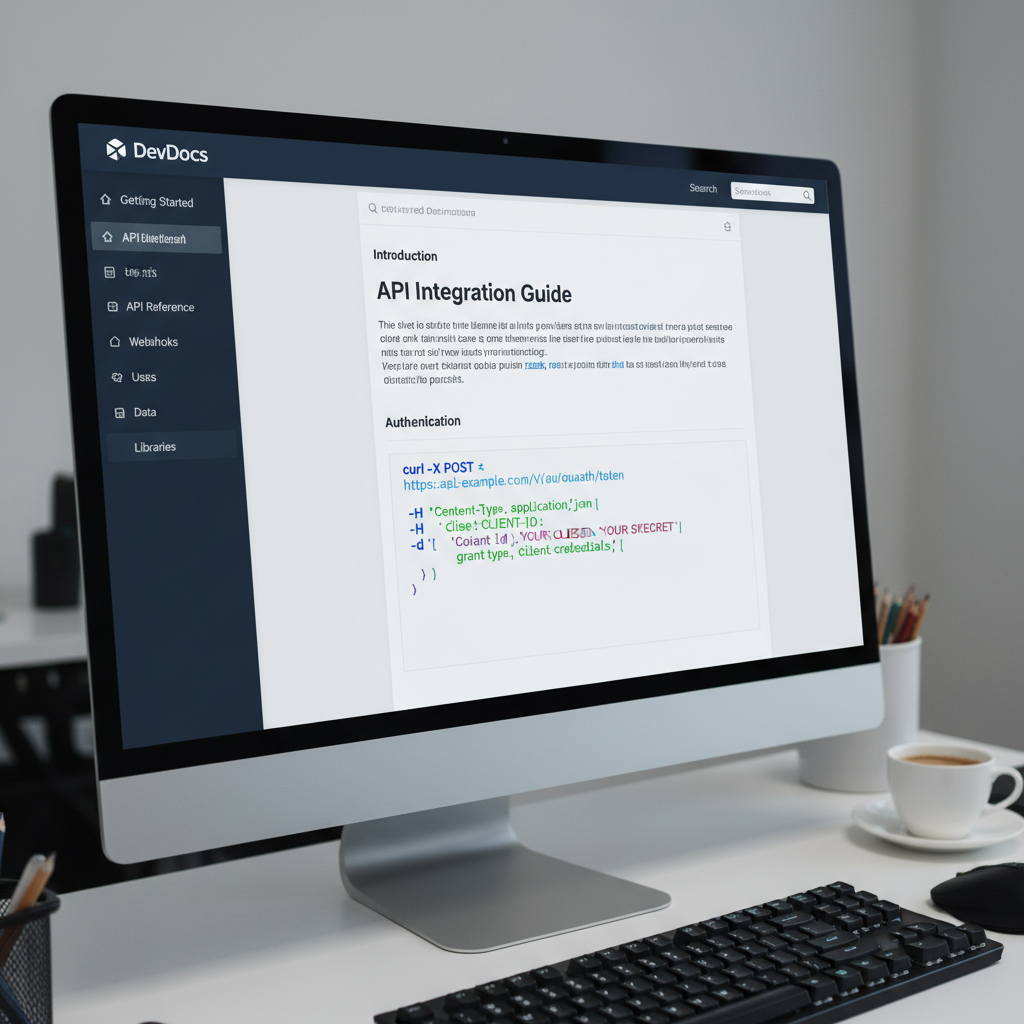
The Limitations of Flat GitHub READMEs
As open-source projects and developer SDKs expand, a single `README.md` file quickly becomes an unmanageable wall of text. Developers struggle to locate specific API endpoints, installation flags, or usage code snippets on mobile devices.
Creating a custom documentation website traditionally required configuring complex static site generators like Docusaurus or MkDocs, writing custom build scripts, and managing deployment pipelines manually.
Redesignr.ai simplifies this process completely—ingesting your GitHub repository URL and automatically generating an interactive documentation portal complete with instant search indexing, responsive navigation, and clean React code.
The 4-Step GitHub-to-Docs Workflow
Paste GitHub Repository URL
Input your public GitHub repository URL or raw markdown file into Redesignr.ai. The AI documentation engine automatically fetches the primary README.md and associated markdown documentation files.
Automated AST Markdown Parsing
Redesignr extracts heading nodes, code blocks, parameter tables, API endpoints, and installation commands, restructuring them into organized multi-page documentation sections with nested sidebar indexing.
Apply Developer Documentation Theme
Select a sleek dark-mode documentation theme featuring interactive syntax highlighting for 20+ programming languages (JavaScript, Python, Go, Rust, TypeScript, Bash), copyable code blocks, and search indexing.
Deploy to GitHub Pages or Vercel
Export clean static HTML/CSS or Next.js React code. Deploy directly to GitHub Pages, Vercel, Netlify, or Cloudflare Pages with zero vendor lock-in.
Developer Experience (DX) Enhancements Included
1. Instant Code Snippet Copying & Multi-Language Tabs
Provide developers with one-click copy buttons for terminal commands and multi-language code tabs (e.g. JavaScript, Python, Go, cURL) to speed up integration testing.
2. Searchable Indexing & Heading Anchor Links
Automatically build deep anchor links and an in-memory search index so developers can jump directly to specific functions or configuration parameters.
Turning a repository into a documentation site is a well-served problem with several distinct approaches, and they differ mainly in where the content lives and who is expected to maintain it. Choosing on features rather than on that question is why teams end up with a docs site nobody updates.
The approaches, by where content lives
Static site generators build a site from Markdown files in your repository. Content lives beside the code, changes go through pull requests, and versioning comes free because the docs are versioned with the code.
Hosted documentation platforms provide an editor and hosting. Content lives in their system, non-engineers can contribute easily, and it drifts from the code unless someone actively keeps it in step.
Generated-from-source tools build reference material from code comments and type signatures. Always accurate about signatures, and silent about everything else.
Docs in the repository stay current; docs elsewhere do not
This is the single most reliable predictor of whether documentation stays accurate, and it is worth weighting heavily.
When documentation lives beside the code, a change to behaviour and a change to its description arrive in the same pull request and get reviewed together. When it lives in another system, updating it is a separate task that competes with everything else — and loses.
The counter-argument is real: repository-based docs exclude contributors who do not use Git. If your documentation is written by people outside engineering, that is a genuine cost, and a hosted platform may be the right trade.
Generated reference is not documentation
Extracting signatures and comments from source produces an accurate API reference. It does not produce documentation, and conflating the two is a common and expensive mistake.
What is missing is everything a reader actually needs first: what this is for, how to get started, how the pieces fit together, why it works the way it does, and what to do when something goes wrong.
Generated reference answers "what are the parameters of this function". It cannot answer "how do I do the thing I came here for", and that is the question most visitors arrive with.
What a docs site actually needs
Ordered by how often their absence causes a reader to give up.
A getting-started path that works end to end, tested by someone who has not seen the project. Search that returns useful results. Examples that can be copied and run without modification. And a clear statement of which version the documentation describes.
Search is the most under-invested of these. Past a modest size, readers navigate documentation by searching rather than browsing, and a site whose search does not work is functionally a set of disconnected pages.
- A working quickstart — tested by someone new, end to end, recently.
- Search that works — past a certain size this is how people navigate.
- Runnable examples — copy-pasteable without editing to make them work.
- Versioning — which version does this page describe?
The maintenance question decides it
Before choosing anything, answer: who writes this, and when.
If engineers write documentation as part of shipping, put it in the repository and use a static generator. The workflow already matches.
If a technical writer or a product person maintains it, a hosted platform will get more updates than a Git-based one, and more updates matters more than architectural purity.
If nobody has been assigned, the tool choice is irrelevant — you will have a beautiful docs site that is wrong within two releases. That is the failure mode worth designing against.
Where generation helps
The barrier to a docs site is usually not the content but the surrounding work: getting something presentable standing up, and making a README into a navigable site.
Automating that first step is genuinely useful, because a docs site that exists gets improved and one that is planned does not.
What it does not do is write the explanations. The quickstart, the conceptual overview and the troubleshooting section have to come from people who know why the thing works the way it does.
Choose based on who maintains it: engineers means docs in the repository; a writer means a hosted platform. Generated reference is not documentation — the quickstart and the concepts still have to be written.
Frequently Asked Questions
Why convert a GitHub README into a dedicated documentation website?
A dedicated documentation website provides instant search indexing, categorized multi-page navigation, responsive mobile rendering, and copyable code snippets—making open-source libraries and APIs significantly easier for developers to integrate.
Will my documentation site update when I push changes to GitHub?
Yes. By deploying your exported Redesignr documentation code to Vercel or GitHub Actions, your documentation site can automatically re-build whenever you push updates to your main repository branch.
Can I customize the visual dark mode theme of my generated docs portal?
Yes. Redesignr allows you to customize typography, accent colors, logo branding, and sidebar navigation hierarchy using simple prompt inputs or visual styling controls.
Convert Your GitHub Repo to Docs Now
Paste your GitHub repository URL into Redesignr.ai and generate a modern documentation website in seconds.
Convert GitHub README Now