
AI Website Builders Compared: Redesignr vs Wix vs Framer vs Typedream
Comparing four AI website builders on code export, redesigning from an existing site, hosting and platform lock-in.
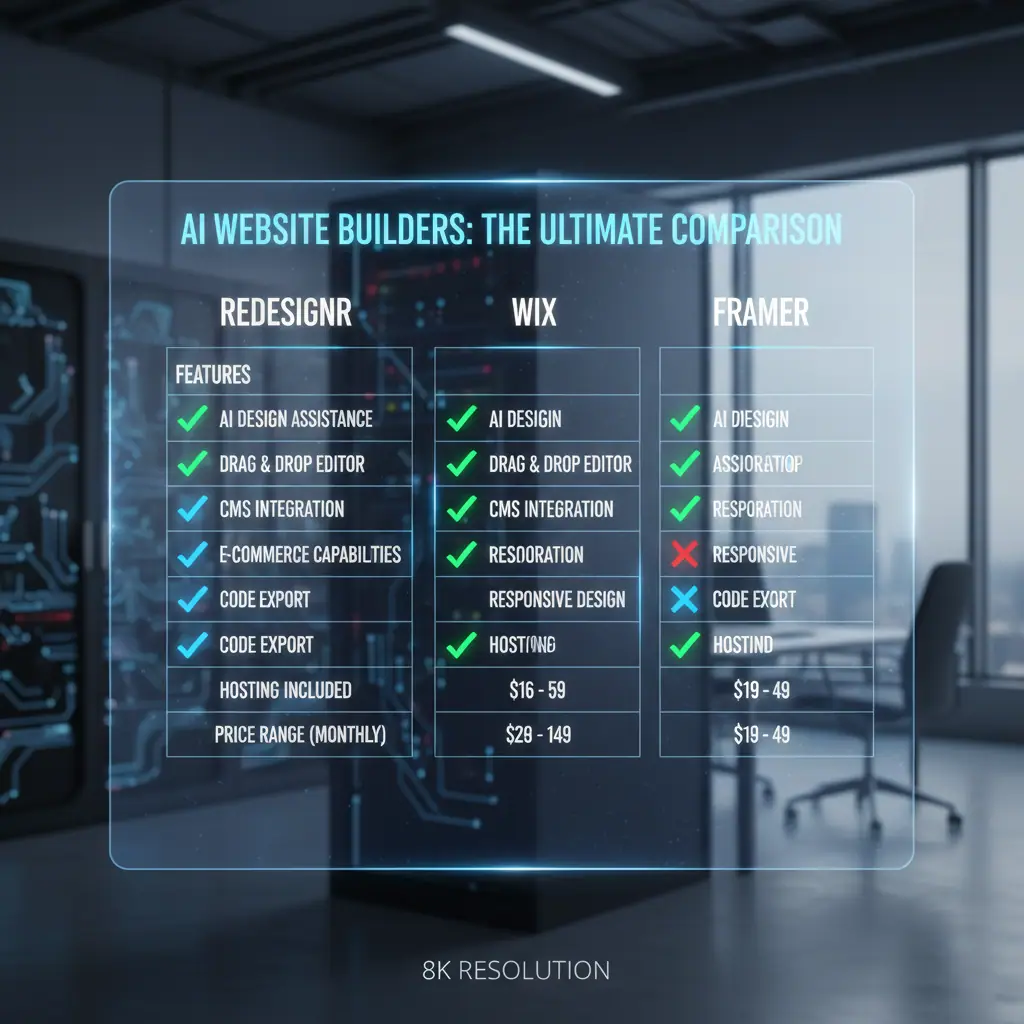
Selecting the Right AI Web Generation Platform
The landscape of AI website builders has expanded rapidly. Platforms like Wix AI, Framer AI, and Typedream promise instant web page generation from text prompts.
However, many hosted AI site builders keep your site on their own platform, so you pay a recurring subscription and cannot take the code elsewhere.
Most of them also start from a prompt or a template rather than from your existing website.
Evaluating AI generators based on code portability prevents vendor lock-in and protects developer engineering investments.
Choosing a builder that exports standard files, such as HTML and CSS, keeps your options open if you change hosts or frameworks later.
Many AI web tools help with responsive layouts, though you should still check color contrast and touch targets yourself.
Comparing server-side rendering latency and bundle size optimization helps engineers choose the fastest frontend solution.
Exported static files can be deployed to Vercel, Netlify or self-hosted infrastructure.
Empowering developers to retain full source code control builds sustainable software architecture without monthly lock-in fees.
Page speed still depends on your content and hosting, so test any builder's output with PageSpeed Insights.
This comparison looks at Redesignr.ai, Wix, Framer and Typedream on code export, redesigning from an existing site, and hosting. Features change often, so check each vendor's current documentation before you decide.
Feature-by-Feature Technical Comparison
Redesign From an Existing Site
Code Export
Hosting & Performance
Where Redesignr.ai Differs From Hosted Builders
1. HTML and Tailwind CSS Export
Paid plans export a ZIP of HTML files styled with Tailwind CSS that you can host anywhere, without a builder hosting subscription.
2. Start From Your Live Site
Paste your existing website link, or upload a screenshot, and Redesignr generates a modernized layout you can edit.
These products are grouped together and differ on one structural axis that predicts almost everything else: whether the page you make lives on their platform or on yours. That single property determines your costs, your constraints and what leaving would involve.
Hosted platforms versus code output
Hosted builders — Wix and Typedream among them — give you an editor, hosting, a domain, forms and analytics as one package. The page exists inside their system.
Code-output tools produce files you deploy yourself. You supply the hosting, the domain and the form handling; you own the artefact.
Framer sits between: a design-led editor with hosting, and an export path whose usefulness depends on what you intend to do with it.
This is the decision. Almost everything else follows from it.
What a hosted platform genuinely gives you
Worth stating clearly, because people who prefer code output tend to undervalue it.
Everything works together and one bill covers it. There is nothing to configure, no server to keep patched, no certificate to renew. A non-technical person can edit the site without help — which is the difference between a site that stays current and one that goes stale.
For most small businesses that package is worth more than owning the markup. The site being editable by whoever is actually there is a real operational advantage.
What owning your code gives you
No ceiling and no exit cost.
You can host anywhere, add anything, integrate with whatever you like, and switch tools without switching sites. Performance is bounded by what you build rather than by the platform's runtime, which matters when you are paying for traffic.
And the site outlives the tool. If the product you used disappears, is acquired, or triples its pricing, you already have the files. That is a form of insurance whose value is invisible until it is not.
The property that decides it for most people
Who updates the site day to day.
If the answer is a non-technical person and there is no developer available, a hosted platform is almost certainly right regardless of any other consideration. A site that cannot be updated by whoever is there is a site that will be wrong within a year, and out-of-date information costs more trust than an unfashionable layout does.
If the answer is a developer or someone comfortable deploying files, code output removes constraints you would otherwise hit and costs you the convenience.
- Non-technical maintainer, no developer — hosted platform. The editing experience is the deciding feature.
- Developer available — code output. Fewer constraints, no exit cost.
- Existing site to improve — a tool that reads its URL, not one that starts from a description.
- Paid traffic at volume — weight page speed heavily; hosted runtimes carry overhead.
The question the category framing hides
All four are discussed as ways to build a site. Only some of them are ways to redesign one.
If a site already exists with copy, images and URLs that rank, the relevant question is whether the tool can start from that page or only from a description. Starting from a description discards the content you were trying to keep, and you spend the afternoon restoring it.
That distinction cuts across the hosted-versus-code axis and is easy to miss when comparing feature lists.
How to compare them honestly
Build the same real page in each candidate, not a demo.
Time how long the first one takes, then how long the second variant takes — that gap is the property that matters if you will make more than one page. Check the exported or published result for speed on a throttled mobile connection. Try to move a page out and see what that involves.
The last test is the one nobody runs and the one you will care about most in two years.
The axis is hosted versus code output, and the deciding question is who maintains the site day to day. If a site already exists, also check whether the tool can start from its URL rather than a description.
Frequently Asked Questions
How does Redesignr.ai differ from Wix and Framer for developer teams?
Wix and Framer publish your site on their own hosting. Redesignr exports a ZIP of HTML files styled with Tailwind CSS that you can keep in Git and host anywhere.
Can non-developers use Redesignr instead of Wix or Typedream?
Yes. You edit the generated pages in Redesignr's editor and can ask for changes in plain language, without writing code.
Which AI website builder gives the best Core Web Vitals?
There is no single answer: Core Web Vitals depend on your images, scripts, content and hosting as much as on the builder. Redesignr exports static HTML styled with Tailwind CSS that you host yourself, so you control what else loads. Measure the result with PageSpeed Insights.
Try Redesignr.ai on Your Site
Turn the URL of your site, or a screenshot, into redesigned pages you can edit and export as HTML with Tailwind CSS.
Start Designing Free