
AI for Developer Documentation: GitHub README to Interactive Docs
Transform static GitHub markdown README files into beautiful, interactive, and searchable developer documentation portals automatically with AI.
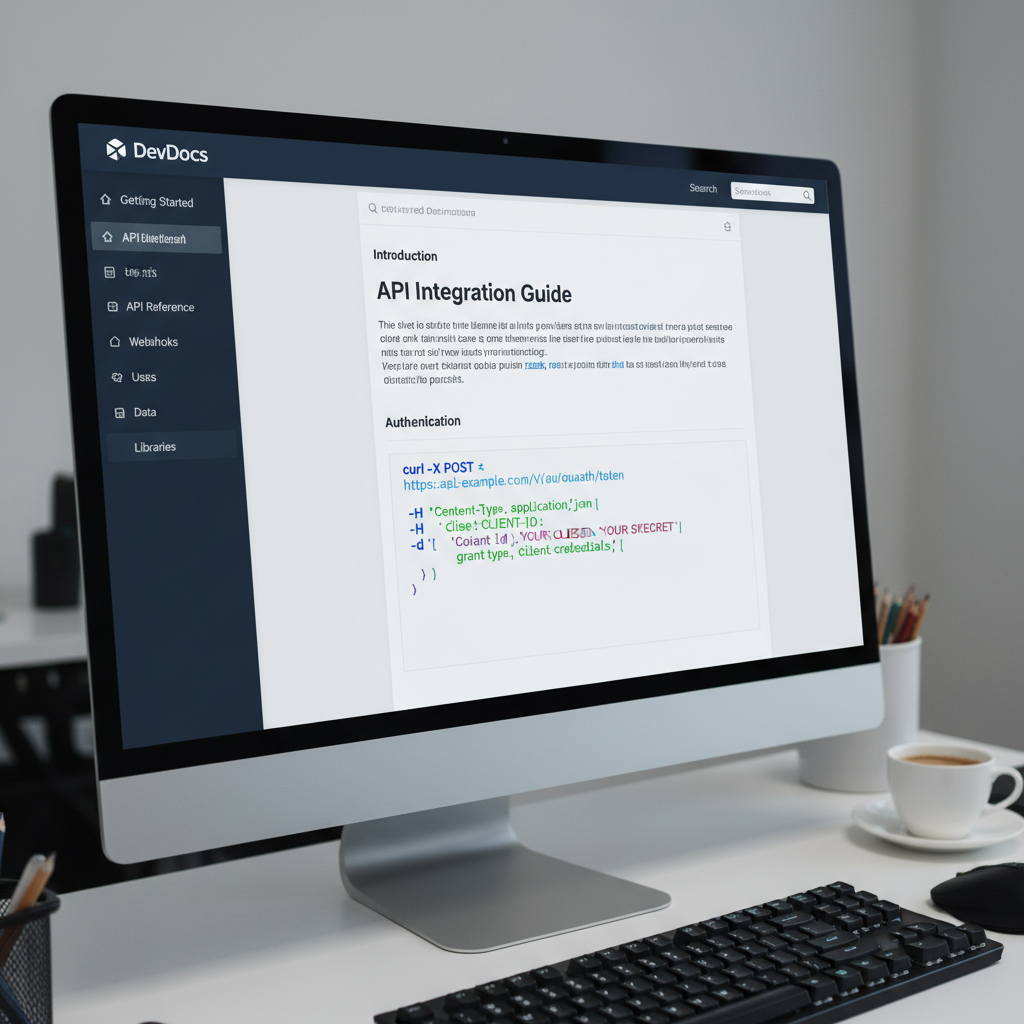
The Developer Experience (DX) Advantage
Great developer documentation is essential for open-source library adoption, API integrations, and developer satisfaction. However, plain text GitHub README files quickly become difficult to navigate as software projects grow in feature scope and API endpoint complexity.
Developers evaluating an SDK or API expect modern search functionality, copyable code blocks, clear parameter tables, and responsive mobile layouts. Spending weeks building custom documentation sites using complex static site generators distracts engineering teams from shipping core product features.
Redesignr.ai automates developer documentation creation—ingesting raw markdown files and generating searchable, mobile-responsive documentation websites complete with syntax highlighting and instant code exports.
Key Capabilities of the Redesignr Docs Engine
Instant GitHub Repository & Markdown Ingestion
Paste your public GitHub repository URL or raw markdown README. Redesignr's AI documentation engine automatically parses header structures, API endpoints, code snippets, parameters, and tables into organized documentation sections.
Interactive Syntax Highlighting & Copy Snippets
Generates beautiful, developer-friendly documentation portals complete with dark mode aesthetic themes, syntax highlighting for 20+ programming languages (JavaScript, Python, Go, Rust, TypeScript, Bash), and one-click code copy buttons.
Searchable Sidebar & Nested Navigation
Automatically builds a responsive, searchable sidebar navigation index based on your markdown heading hierarchy, making multi-file SDKs and REST API references effortless to explore.
Standalone React & Static HTML Export
Download clean, standalone HTML5, CSS3, and Next.js React documentation site bundles that you can host on GitHub Pages, Vercel, Netlify, or Cloudflare Pages with zero vendor lock-in.
Best Practices for AI-Generated Technical Docs
1. Clear Quickstart & Installation Code Blocks
Place quickstart installation commands (e.g. `npm install package-name` or `pip install package`) at the top of your documentation portal so developers can begin integration within 30 seconds.
2. Structured Parameter Tables & Type Definitions
Ensure all API function arguments, request payloads, and return types are clearly formatted in scannable tables with explicit type annotations and default values.
Documentation is usually the highest-traffic and least-maintained part of a developer-facing product. Automation helps with a specific part of that problem and not with the part that actually causes documentation to fail, which is worth separating clearly.
Docs are a product surface, not an appendix
For a developer tool, documentation is frequently where evaluation happens. A prospective user reads the quickstart before they read the pricing page, and often before they create an account.
That makes documentation quality a commercial property rather than an engineering courtesy. A confusing quickstart loses users who would have paid, and it does so silently — nobody files a ticket saying they gave up.
It also means the visual and structural quality of the docs site matters more than teams assume. A polished marketing site next to a neglected docs site sends a clear message about where attention goes.
The three layers, and which can be automated
Reference material — signatures, parameters, types — can be generated from source, and should be. It is mechanical, it is always accurate when generated, and maintaining it by hand guarantees drift.
Guides and tutorials cannot be generated meaningfully, because they encode the judgement of someone who knows which path a new user should take and which distractions to omit.
Conceptual explanation — why the system works this way, what the model is — is the hardest and the most valuable. It is what turns a user who can copy examples into one who can solve their own problems.
Automation covers the first layer well and the other two not at all.
What actually causes docs to fail
Not formatting, and not tooling. Ownership.
Documentation goes wrong when nobody is responsible for it, so it is updated when someone remembers. The fix is structural: documentation changes belong in the same pull request as the behaviour change, and reviewers should decline changes that alter behaviour without touching the docs.
That is a process decision, not a tool decision. Teams that adopt it have accurate docs on almost any platform; teams that do not have inaccurate docs on the best platform available.
The quickstart deserves disproportionate attention
It is the page most read and the one where users are lost, and it decays faster than anything else because it depends on the current install path, current defaults and current API shape.
Test it properly: have someone who has not used the project follow it exactly, on a clean machine, without asking questions. Watch where they stop. Every assumption you did not know you were making shows up in the first ten minutes.
Do this on a schedule rather than when someone complains, because the people it fails mostly leave without saying anything.
- Clean environment — not the machine where everything is already installed.
- Someone unfamiliar — a new hire is ideal; anyone outside the team works.
- No help allowed — if they have to ask, that is a documentation bug.
- On a schedule — quarterly, because it decays with every release.
Where generation genuinely helps
The barrier to documentation is rarely writing the first version. It is the surrounding work: standing up a site, making it navigable and searchable, and making it look like part of the product rather than a README with a stylesheet.
Automating that removes the reason a docs site sits as a ticket for eight months. And a docs site that exists gets improved incrementally, while one that is planned does not.
It is also good at the unglamorous derivative work: turning a changelog into readable release notes, drafting reference stubs for undocumented functions, and finding pages that no longer match the code.
A reasonable division
Generate the reference layer and the site around it. Write the quickstart, the conceptual overview and the troubleshooting guide by hand, and assign them to a person by name.
Then enforce the process rule: no behaviour change ships without its documentation change in the same pull request.
That combination — automation for the mechanical layers, ownership for the judgement layers — is what actually keeps documentation useful, and neither half works without the other.
Generate the reference layer and the site; write the quickstart and the concepts yourself. Docs fail from missing ownership rather than bad tooling — put doc changes in the same pull request as the behaviour change.
Frequently Asked Questions
How does Redesignr.ai convert a raw GitHub README into a documentation website?
Redesignr's documentation engine parses markdown AST nodes, extracts API endpoints, code samples, parameters, and notes, and compiles them into a responsive, multi-page developer documentation portal with nested sidebar navigation and search indexing.
Can I host the AI-generated documentation portal on GitHub Pages?
Yes. Redesignr exports clean static HTML/CSS files as well as React components, making deployment to GitHub Pages, Vercel, or Netlify seamless without requiring specialized server infrastructure.
Why is an interactive documentation portal better than a standard GitHub README?
Standard GitHub README files become long, unreadable walls of text as open-source projects grow. Interactive documentation portals add instant search indexing, categorized sidebar navigation, multi-language code tabs, and mobile responsiveness, which significantly increases developer adoption.
Can I customize the visual dark mode theme of my docs portal?
Yes. Redesignr allows you to customize typography, accent colors, logo branding, and sidebar layouts using simple natural language prompts or visual styling controls.
Convert Your GitHub README to Docs Now
Paste your GitHub repository URL into Redesignr.ai to generate an interactive documentation portal in seconds.
Generate Docs Portal Now